01 / GUITAR CHORD SHAPES
Make a shape. Hear its notes.
See where your fingers go, hear the chord and explore another position. Connect a familiar shape with the notes that give it its sound.
Connect chords and scales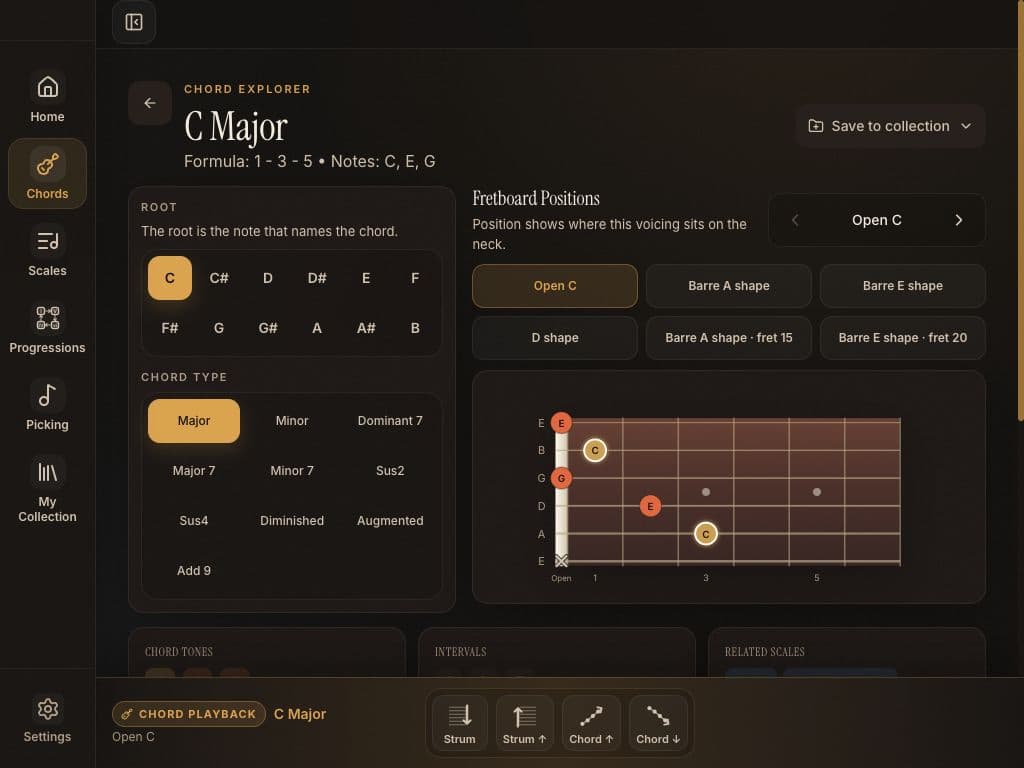
Guitar practice app for iPad
Explore playable chord shapes, scales, progressions and picking patterns. A little more understanding every time you pick up your guitar.
Start with one familiar shape.
Follow where its notes take you.
For the time you spend
with your guitar.
For beginners finding their first connections, and curious guitarists ready to explore a little further.
One idea. Three small steps.
The optional Quick Tour connects C major in three stops. Repeat it any time, or head straight to the tool you want.
Start with the open chord. Listen to C, E and G together.
Open app previewExplore C major and find the notes around that chord.
Open app previewHear C, F and G move together as a progression.
Open app previewInside Fretweave
Take a closer look at the app. Open any screen below to see the full preview and what it helps you practise.
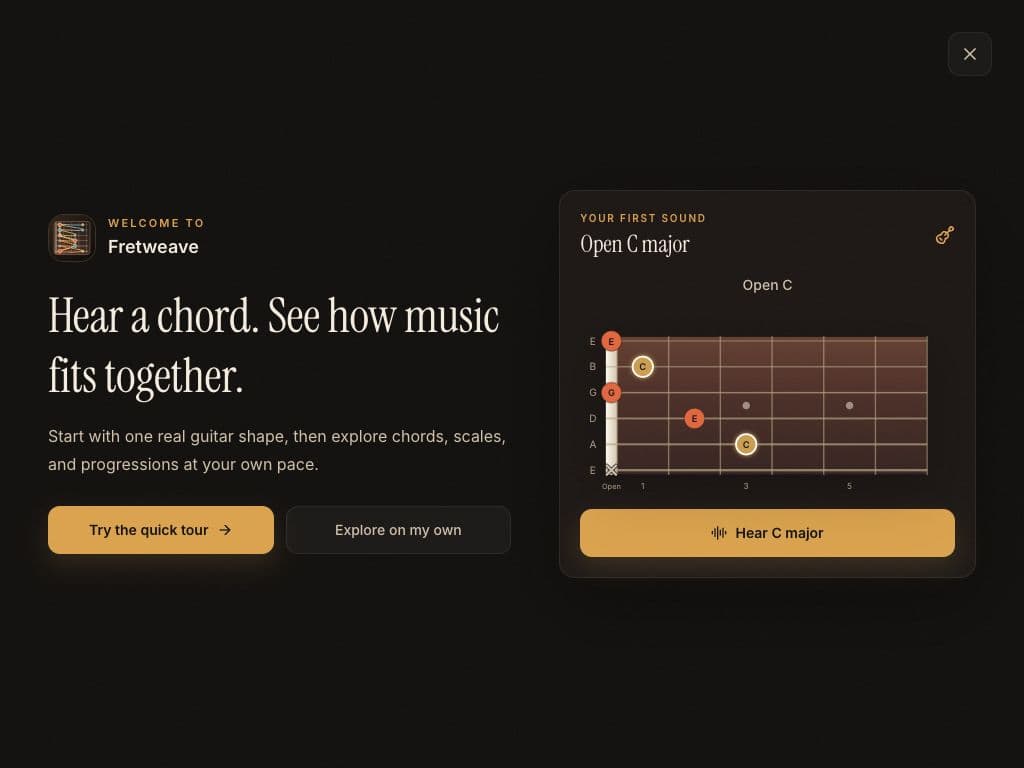
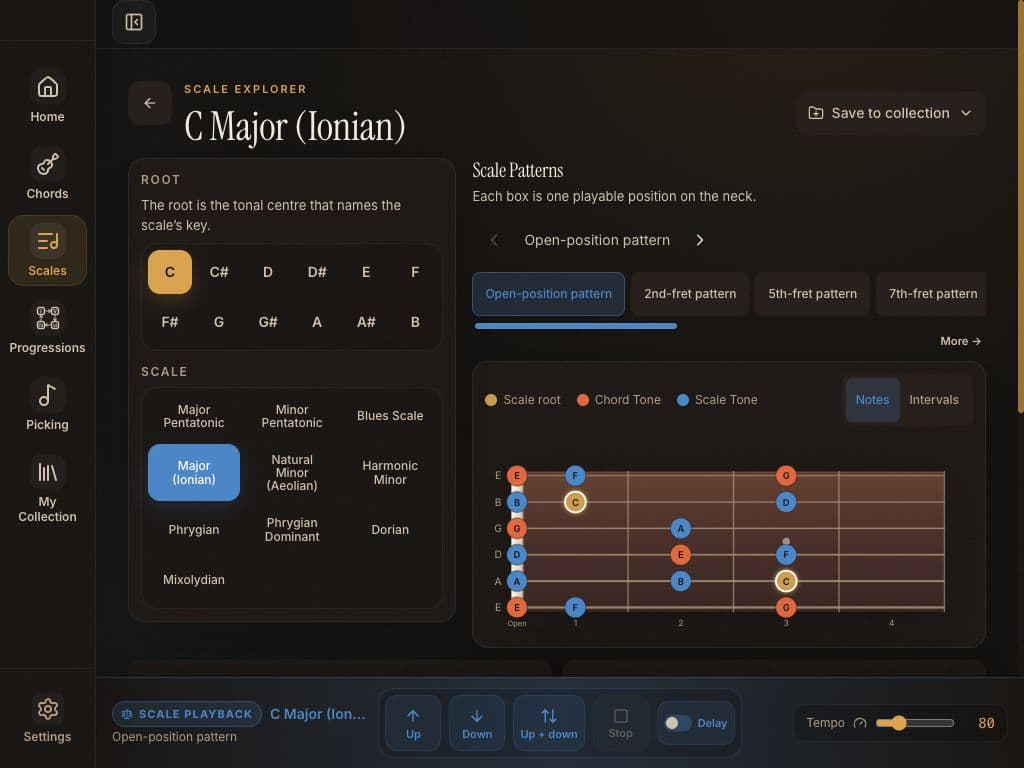
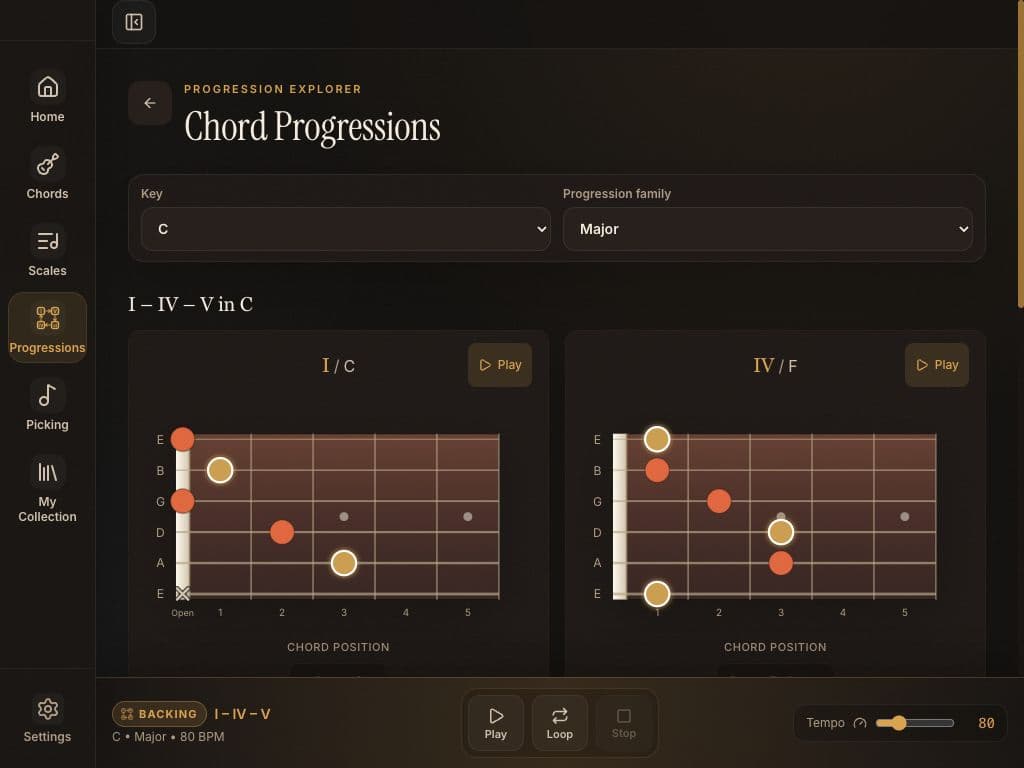
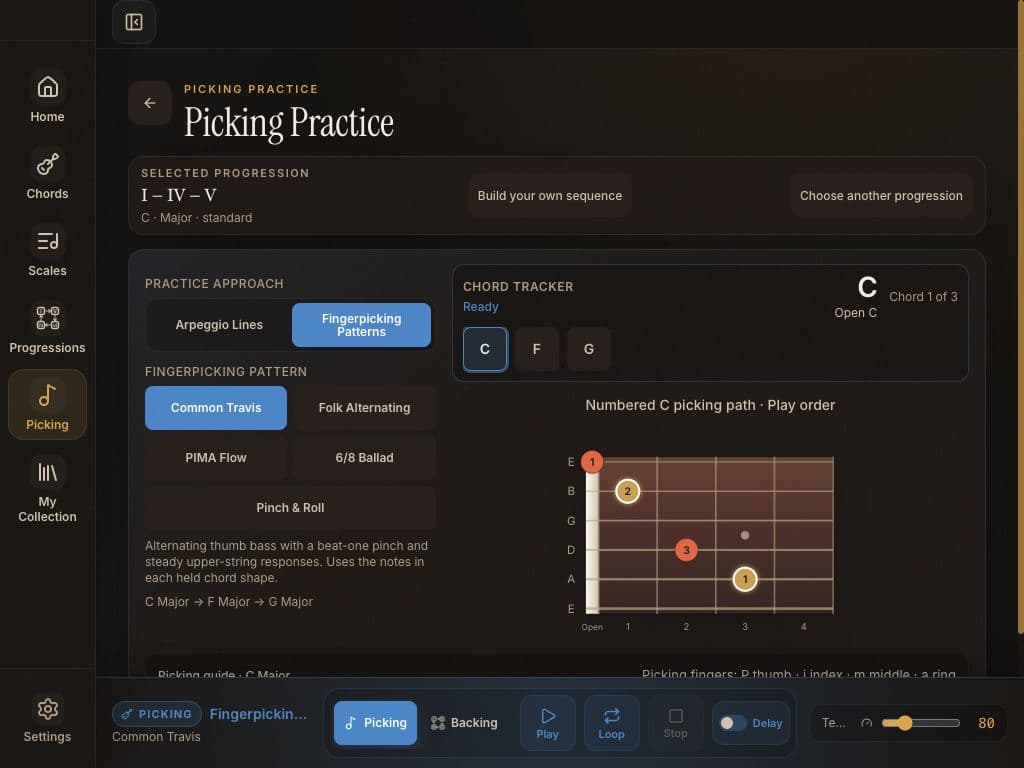

Current app preview · iPad landscape. Some options shown require Fretweave Pro.
Make practice feel connected
Keep the shape, the sound and the musical idea close together. Choose what helps today’s practice.
01 / GUITAR CHORD SHAPES
See where your fingers go, hear the chord and explore another position. Connect a familiar shape with the notes that give it its sound.
Connect chords and scales02 / SCALE PATTERNS
Explore a scale in a manageable area of the neck. Use roots and chord context to find notes to return to, instead of running a pattern without listening.
Try a C major exercise03 / CHORD PROGRESSION PRACTICE
Listen to a progression, find the next chord and practise over a repeating loop. The free progressions already loop, so you can stay with one idea for as long as you need.
Practise with C–F–G04 / PICKING & FINGERPICKING
Follow the picking order and slow the tempo while your hands get comfortable. Begin with the Straight arpeggio or Common Travis starter pattern, then build from there.
Start a fingerpicking exerciseMy Collection
Save useful chords, scales and progressions in your own collections. Give tomorrow’s practice a familiar place to start.
No Fretweave account is needed. Your preferences and collections stay on your iPad.
Look inside My CollectionRoom to begin. Room to grow.
The free core is yours to keep using. Pro opens the wider library when you want more choice.
A useful place to start
Core tools for everyday practice.
Free progressions already loop while you practise.
A wider musical palette
More sounds, shapes and ways to practise.
One purchase. No subscription.Localised pricing will be shown in the App Store at launch.
An idea for your next session
Find C, E and G inside C major, then use those notes to make a simple phrase.
5 minute exerciseProgressionsUse C–F–G to work on steady time, clean changes and listening to the harmony.
10 minute exercisePickingGive your thumb and fingers one job each, then put a steady pattern together.
5 minute exerciseFretweave is a guitar practice app for iPad. It lets you see and hear chord shapes, scale patterns, progressions and picking patterns, then save useful ideas in My Collection.
Yes. Begin with the playable Open C major example or an optional, repeatable three-stop Quick Tour: C major chord, C major scale, then C–F–G. You can also go straight to a practice tool.
Core major, minor and dominant 7th chords; major and minor pentatonic, major and natural minor scales; two positions; three progression templates in every key with free looping; and starter picking patterns.
Pro unlocks the wider library of chords, scales, positions, tunings, progressions and picking patterns. One purchase. No subscription. Localised pricing will be shown in the App Store at launch.
The core practice tools and included guitar sounds work offline once the app is installed. An internet connection is needed for App Store downloads, purchases and restoring purchases.
No Fretweave account is needed. Your preferences and collections stay on your iPad. App Store purchases use your Apple Account.
Fretweave is coming soon to iPad. The screens on this site preview the current app; an App Store link will be added when it is available.
Coming soon to iPad
Get to know Fretweave before it reaches the App Store.
See the app in action